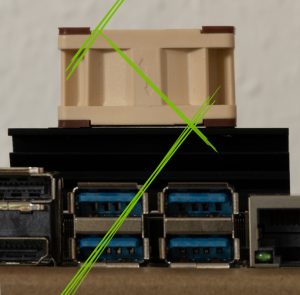
Recently I bought an NVidia Jetson Nano board and a fan for a side project. It is about machine learning with training and inference. Therefore, the CPU and GPU will work a lot and get hot! I searched the web for the right fan and I found the Noctua NF-A4x20 PWM (Amazon*) is recommended. A perfect product: low noise, rubber decoupling, good performance.
As it was delivered, I installed it immediately – of course. The question was: which direction?
So I did some tests in both fan directions. Running a high CPU intense compilation, the performance was better in the downward direction.
Jetson Nano fan – comparison CPU test.
| Upward | Downward |
| 44°C | 40°C |
Upward / Downward according to the arrow on the side of the Noctua NF-A4x20 PWM fan.
It is just a few degrees of difference. But it will count if you do training on the Jetson Nano. I did a couple of TensorFlow training jobs which took 12-19 hours. CPU & GPU got very hot, and the fan has cooled the NVidia Jetson Nano like a charm. By the way, I used the 4GB version, but I think the cooling performance and temperatures are the same as the 2GB version.
I also tried the non-PWM version of the fan with the same results. But since the fan is always on without PWM, it is fairly noisy. With the PWM version, the fan usually runs with just 33% of the maximum power.
So I hope this helps for your Noctua NF-A4x20 PWM fan installation: recommended direction is downward according to the arrow printed on the side of the fan.
Leave a Comment Eigentlich hätte ich gestern auf der buildingIoT Konferenz meinen Talk zu “IoT Analytics – Stream und Batch-Processing” gehalten. Nun ja, es sollte nicht sein. Daher habe ich meine Takeaways hier zusammengefasst.


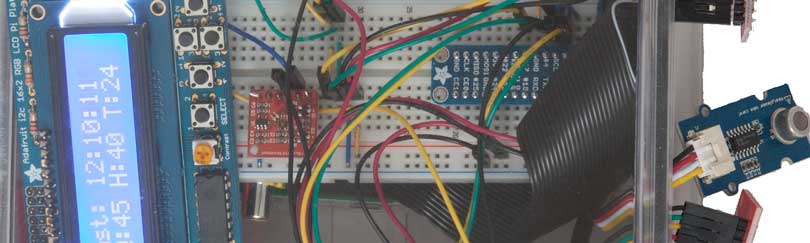

 In the early days of the Internet of Things hype, the industry stated that computing power and accessories are cheap and ubiquitous. Read: available and ready to use. The good part of this statement is, that it is true. Partly. RaspberryPi, Arduino, Seed Studio Groove, Adafruit Feather and so on are cheap and versatile computing devices, available on many online retailers. Several toolkits and online resources help the hackers and makers to prototype and develop products. Also many online platforms are ready for the users to connect and manage the things.
 Slogan of the month: What you see is not always what you get